TCP vs UDP: When to Use What, and How TCP Relates to HTTP
Start With the Big Idea
The internet needs rules to send data.
When one computer sends data to another, both sides must agree on:
How data is sent
How errors are handled
What happens if data is lost
These rules are called protocols.
At a very high level:
TCP and UDP are rules for how data is transported.
What Are TCP and UDP? (Very High Level)
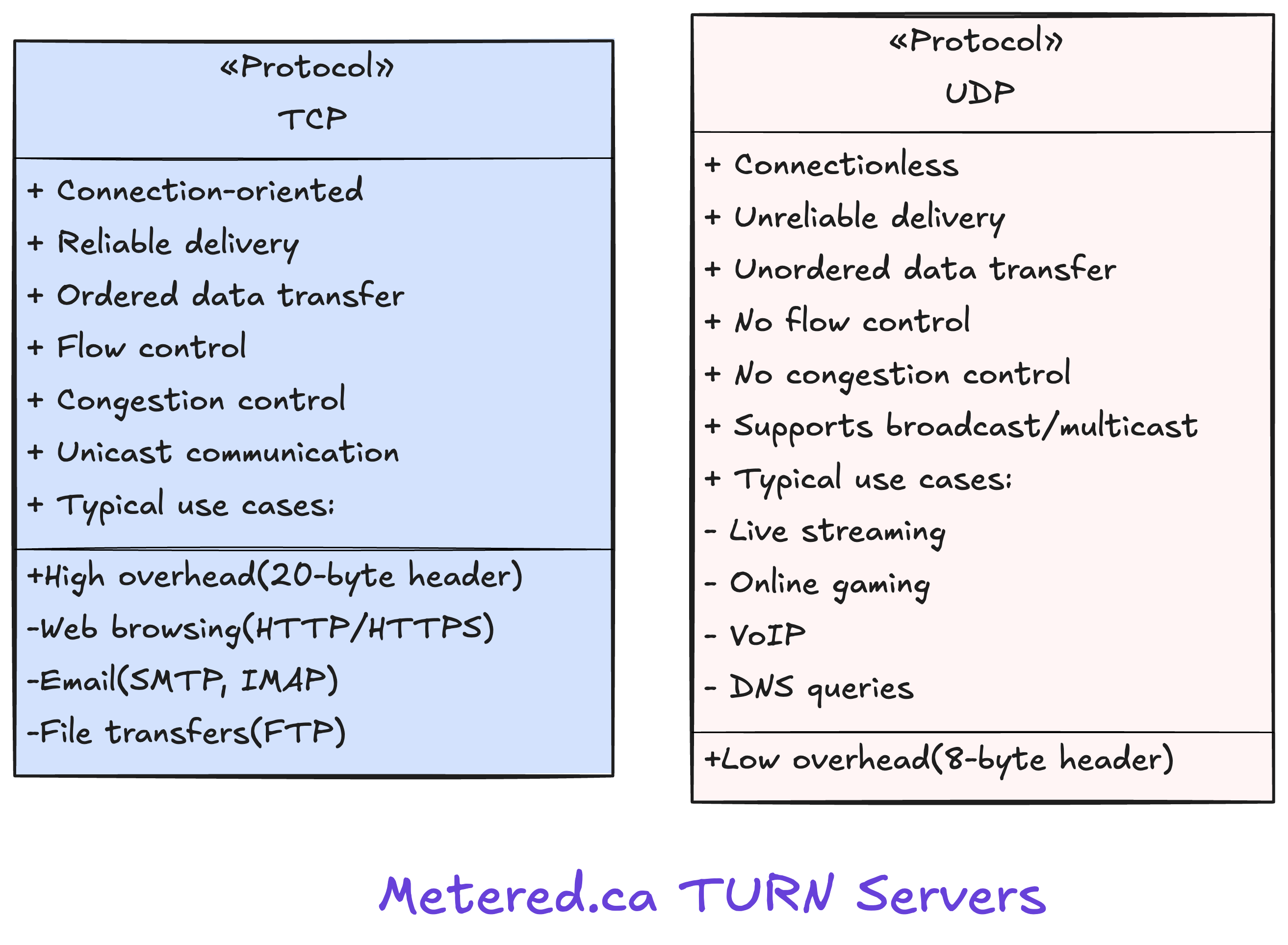
TCP (Transmission Control Protocol)
TCP is reliable and safe.
Simple definition:
TCP makes sure data arrives correctly, in order, and completely.
If something goes wrong, TCP fixes it.
UDP (User Datagram Protocol)
UDP is fast but unreliable.
Simple definition:
UDP sends data quickly without checking if it arrived safely.
If data is lost, UDP does nothing about it.
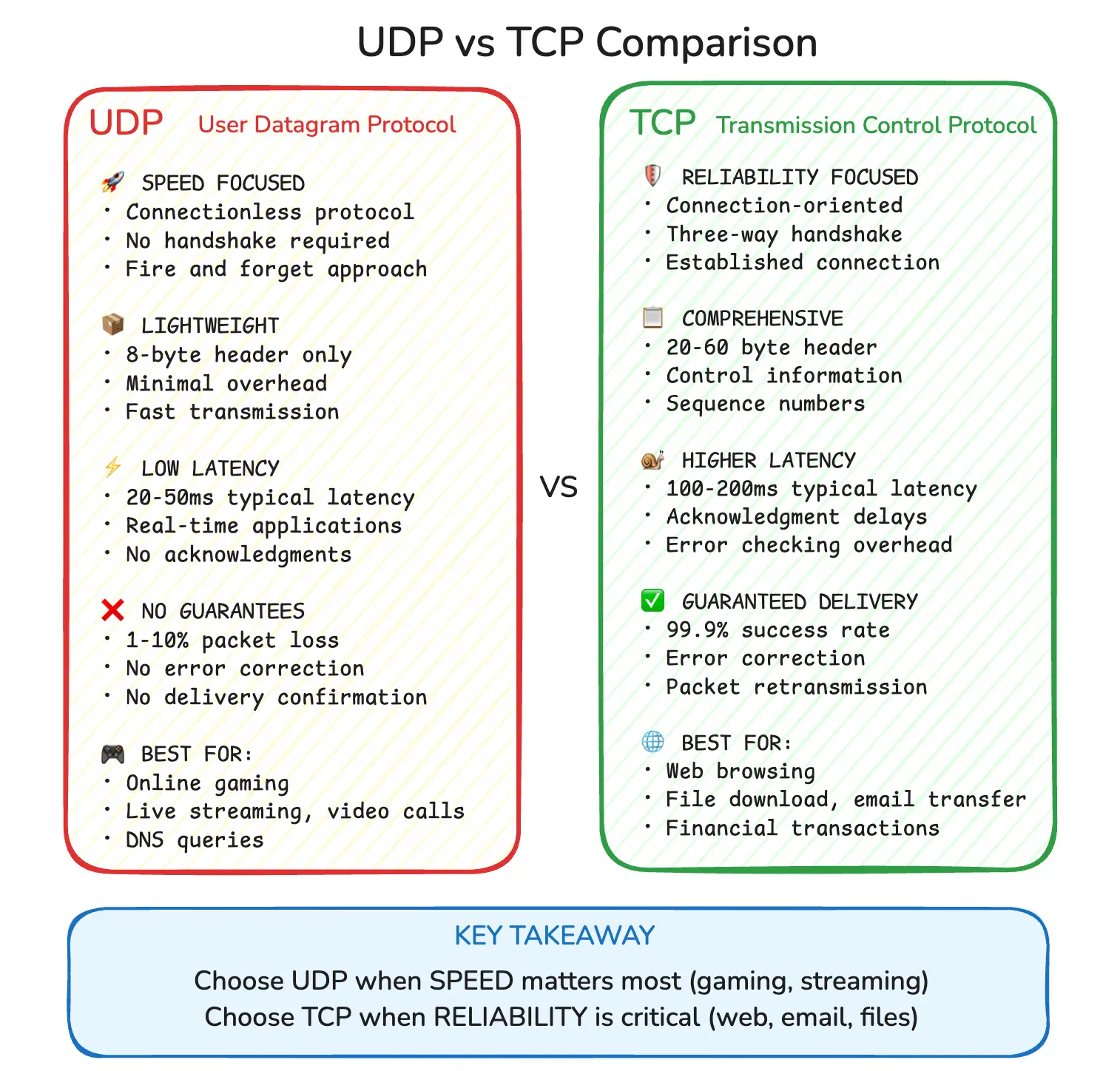
Core Difference (One Line Each)
TCP: “Send carefully, confirm everything.”
UDP: “Send fast, don’t ask questions.”
TCP vs UDP Communication Flow
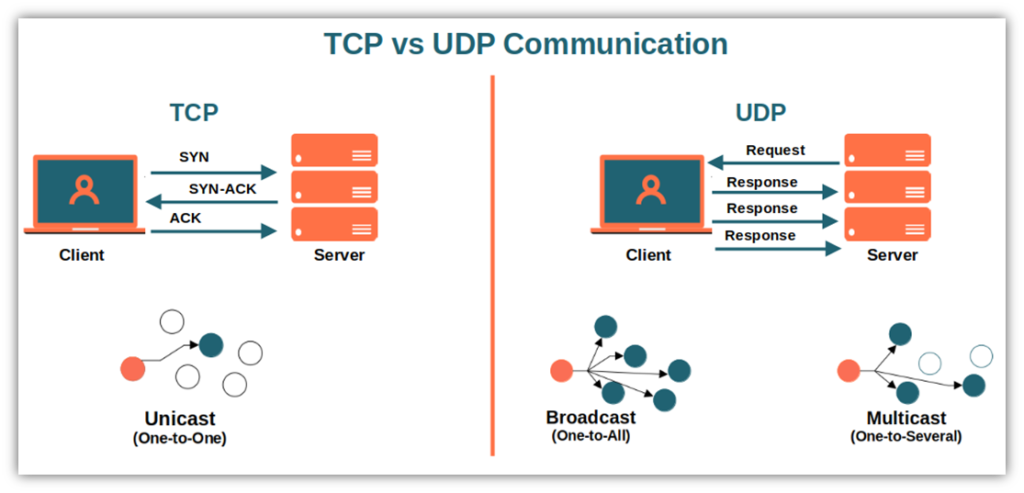
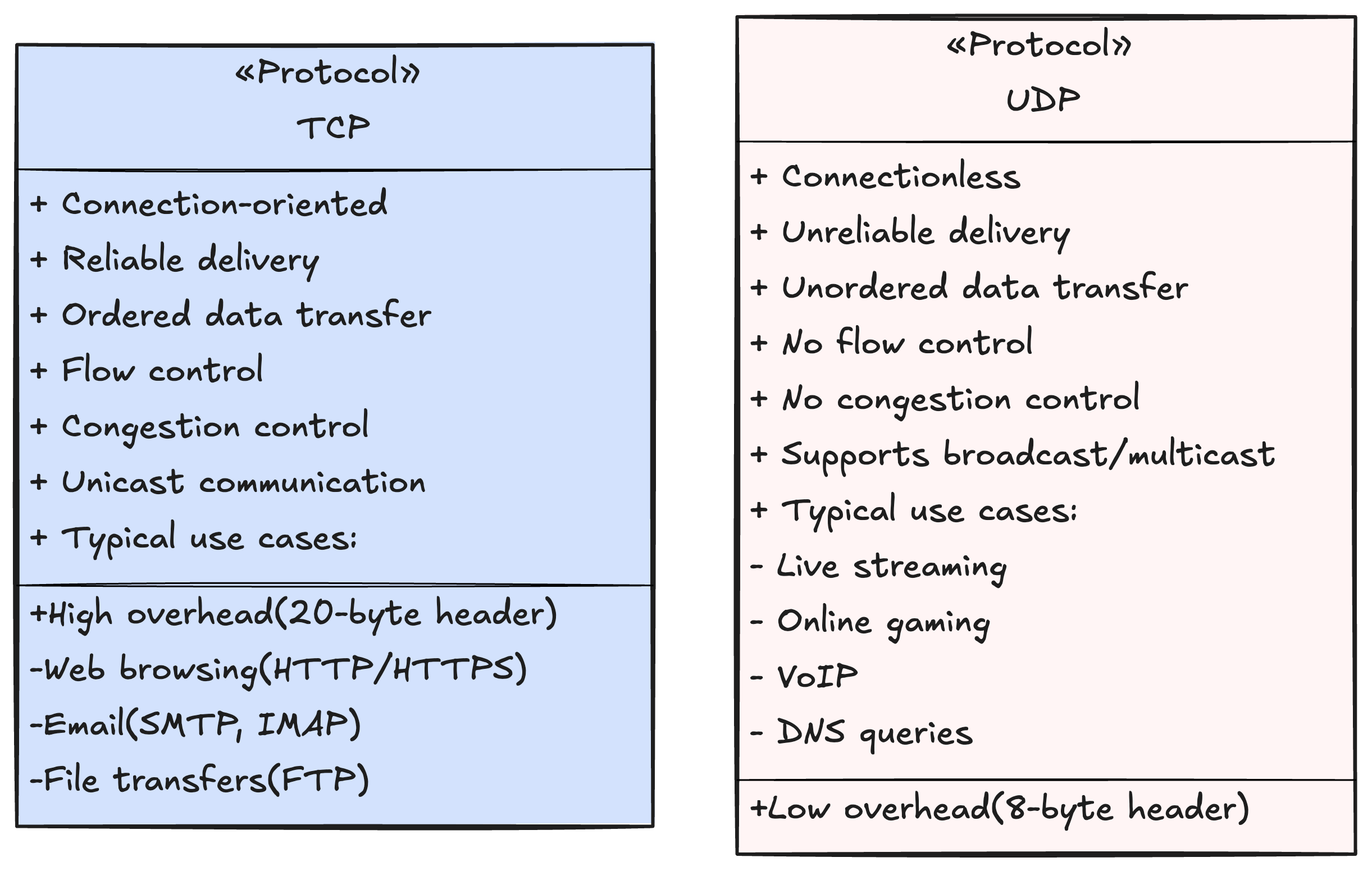
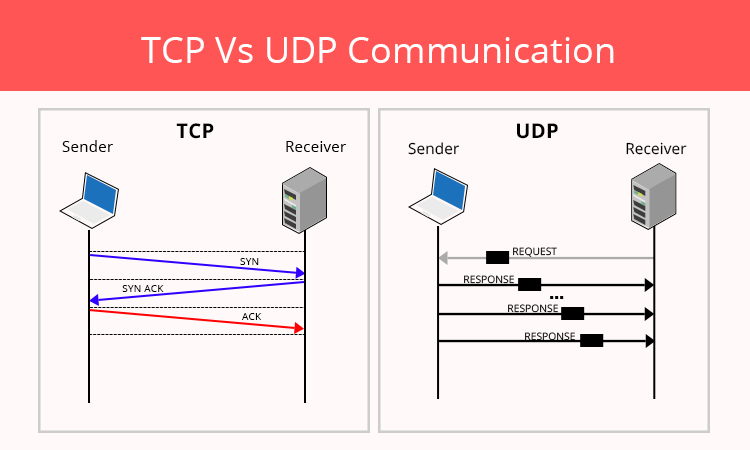
Key Differences Between TCP and UDP
| Feature | TCP | UDP |
| Reliability | Guaranteed | Not guaranteed |
| Order of data | Maintained | Not maintained |
| Speed | Slower | Faster |
| Error handling | Yes | No |
| Connection | Required | Not required |
You don’t choose TCP or UDP based on preference.
You choose based on use case.
When to Use TCP
Use TCP when correctness matters more than speed.
Examples:
Web pages
APIs
Login systems
Payments
File downloads
Emails
Why:
Missing or incorrect data is unacceptable.
When to Use UDP
Use UDP when speed matters more than perfection.
Examples:
Video streaming
Online gaming
Live audio calls
DNS queries
Why:
A small data loss is better than delay.
Real-World Analogy (Important)
TCP Analogy
Courier service with tracking:
Package must arrive
Signature required
Resend if lost
UDP Analogy
Live announcement on loudspeaker:
Fast
No retry
Miss it once, it’s gone
Real-World Use Cases Mapped
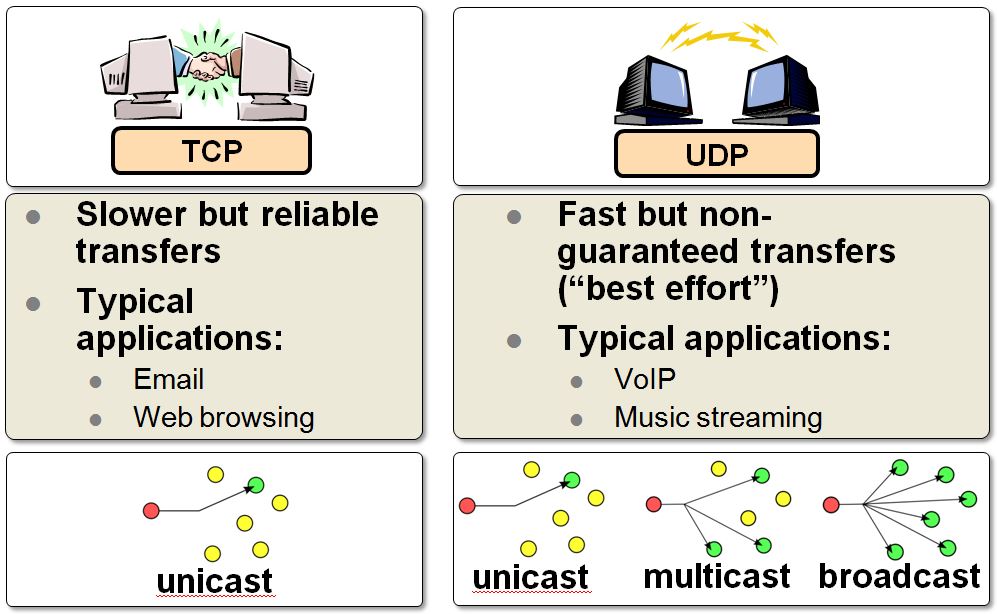
| Application | Protocol |
| Web browsing | TCP |
| REST APIs | TCP |
| Video call | UDP |
| Online games | UDP |
| File transfer | TCP |
What Is HTTP and Where It Fits
HTTP stands for HyperText Transfer Protocol.
Important clarification:
HTTP is NOT responsible for sending data over the network.
HTTP defines:
Requests (GET, POST, etc.)
Responses (status codes, headers, body)
Rules for web communication
Think of HTTP as:
What is being said, not how it travels
Relationship Between TCP and HTTP
HTTP runs on top of TCP.
That means:
TCP handles delivery
HTTP handles meaning

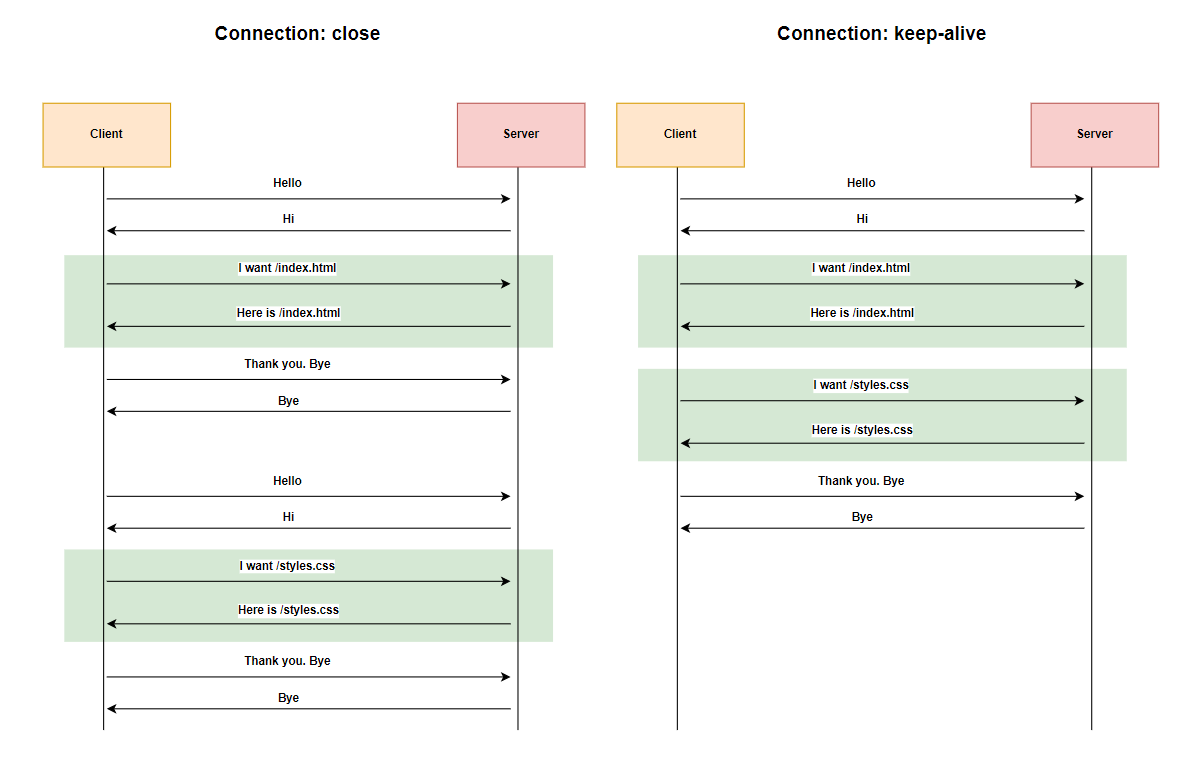

Flow:
TCP connection is established
HTTP request is sent
HTTP response is received
TCP ensures everything arrives correctly
Why HTTP Does NOT Replace TCP
This is a common beginner confusion.
TCP = delivery system
HTTP = communication format
Analogy:
TCP is the road
HTTP is the language spoken by vehicles
HTTP cannot work without a transport protocol.
Simplified Layering (Mental Model)


Simplified stack:
Application layer → HTTP
Transport layer → TCP / UDP
Network layer → IP
Each layer has one job.
Common Beginner Confusion (Cleared)
“Is HTTP the same as TCP?”
No.
“Can HTTP work without TCP?”
No (traditional HTTP).
“Does UDP use HTTP?”
No.
Just remember:
HTTP explains the message. TCP delivers it safely.
Final Takeaway
TCP and UDP are transport rules
TCP = reliable, UDP = fast
HTTP is an application-level protocol
HTTP depends on TCP
They solve different problems
You don’t need protocol internals to use them well.
You just need to understand behavior and purpose.