How DNS Resolution Works
What Is DNS and Why Name Resolution Exists
Computers don’t understand names like google.com.
They understand IP addresses like 142.250.183.14.
DNS (Domain Name System) exists to translate human-friendly names into machine-friendly IP addresses.
Simple definition:
DNS is the internet’s phonebook.
You remember names.
Computers use numbers.
DNS connects the two.
Why DNS Is Needed (Real-World Analogy)
Think of calling someone:
You search a name in your contacts
Your phone finds the number
The call connects
DNS works the same way:
You type a domain name
DNS finds the IP address
Browser connects to the server
What Is the dig Command
dig stands for Domain Information Groper.
It is a diagnostic tool used to:
Inspect DNS resolution
See which name servers are involved
Debug DNS issues
Understand how name resolution works step by step
Simple idea:
diglets you ask DNS questions directly from the terminal.
Where dig Fits in the Big Picture
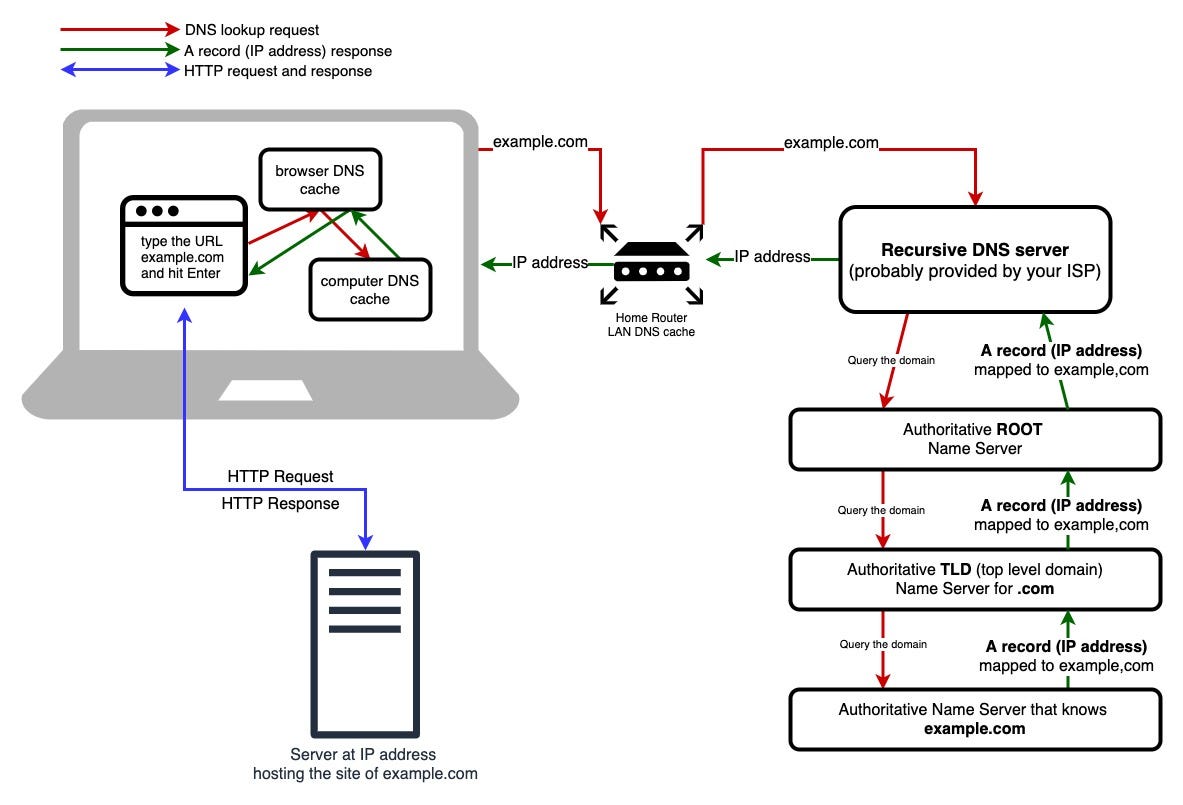
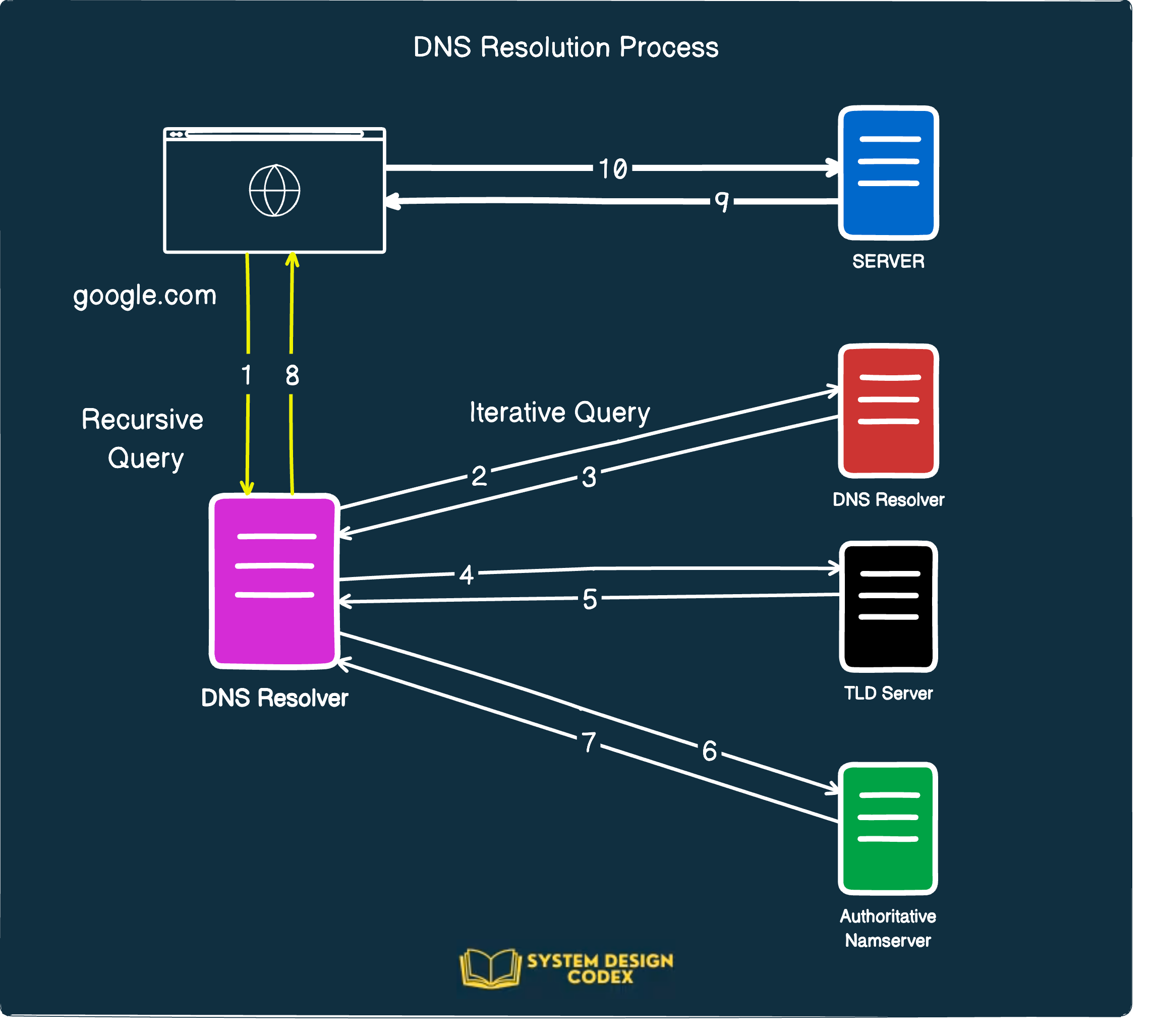
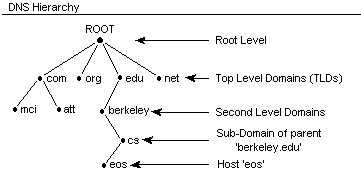
Browsers do DNS automatically.dig lets you see it manually.
DNS Resolution Happens in Layers
DNS is not one server.
It is a hierarchy.
Order:
Root name servers
TLD name servers (
.com,.org, etc.)Authoritative name servers (for the domain)
This layered design keeps DNS:
Scalable
Fast
Reliable
DNS Hierarchy (Mental Model)
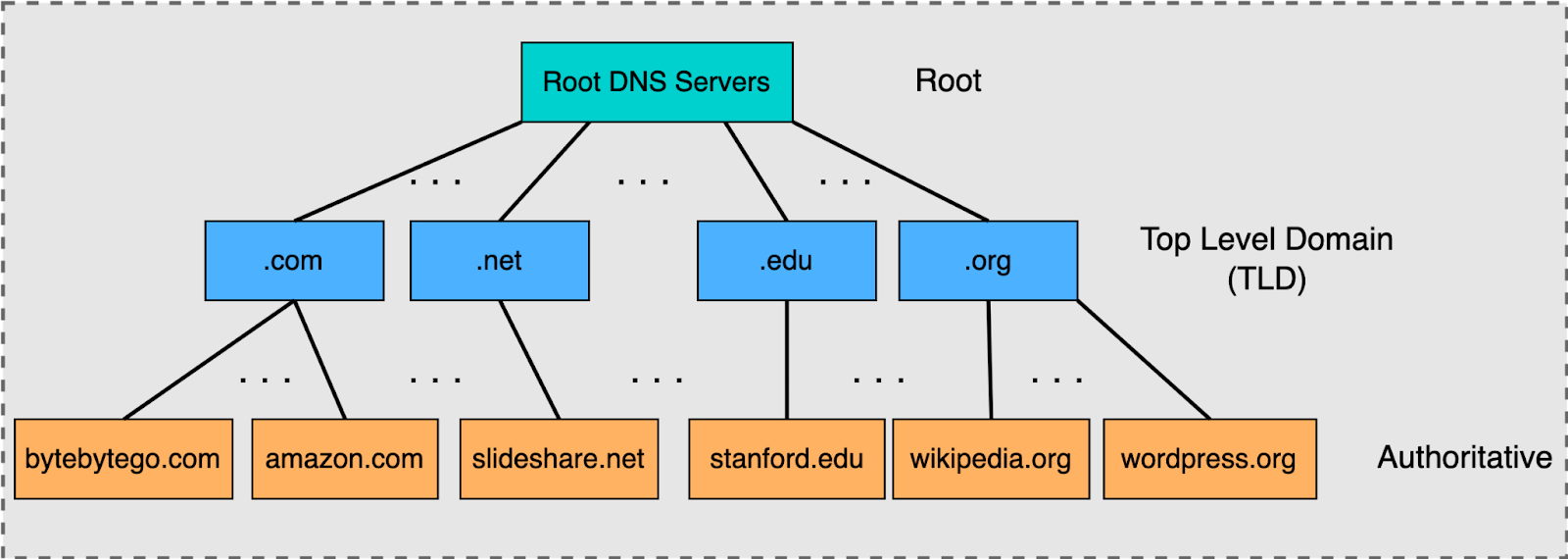


Each layer answers only what it knows and points to the next.
Understanding dig . NS (Root Name Servers)
Command:
dig . NS
What this asks:
“Who are the name servers for the root (
.) of DNS?”
What you learn:
These are the top-level servers
They don’t know IPs for websites
They only know where TLD servers are
Key idea:
Root servers are the starting point of DNS, not the end.
Understanding dig com NS (TLD Name Servers)
Command:
dig com NS
What this asks:
“Who manages the
.comdomain?”
What you learn:
These servers manage all
.comdomainsThey don’t know
google.com’s IPThey know which servers are responsible for it
Key idea:
TLD servers narrow the search.
Understanding dig google.com NS (Authoritative Servers)
Command:
dig google.com NS
What this asks:
“Which servers are authoritative for
google.com?”
These name servers:
Belong to Google
Contain the actual DNS records
Know the real IP addresses
Key idea:
Authoritative servers give final answers.
What NS Records Represent (Important)
NS (Name Server) records say:
“These servers are responsible for this domain.”
Why NS records matter:
They define authority
They enable delegation
They make DNS distributed
Without NS records, DNS cannot scale globally.
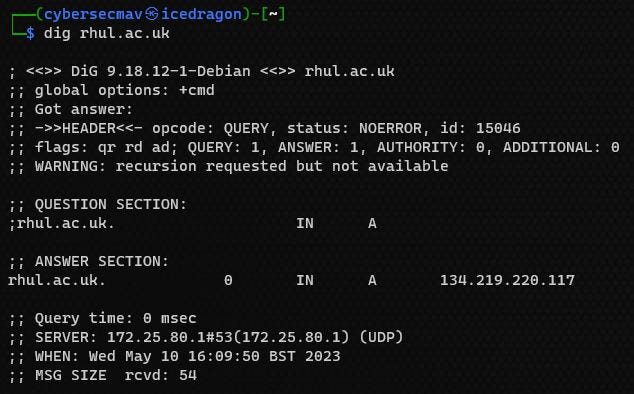
Understanding dig google.com (Full DNS Resolution)
Command:
dig google.com
What happens behind the scenes:
Resolver asks root servers
Root points to
.comservers.compoints to Google’s authoritative serversAuthoritative server returns the IP address
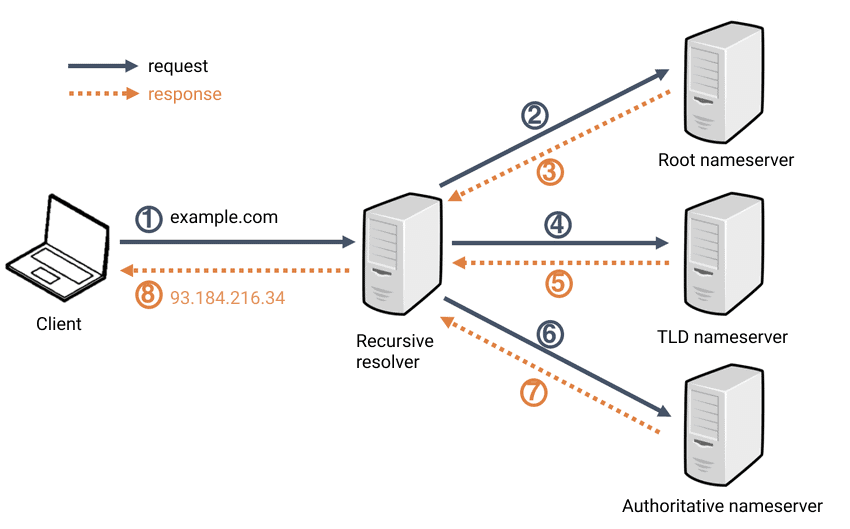
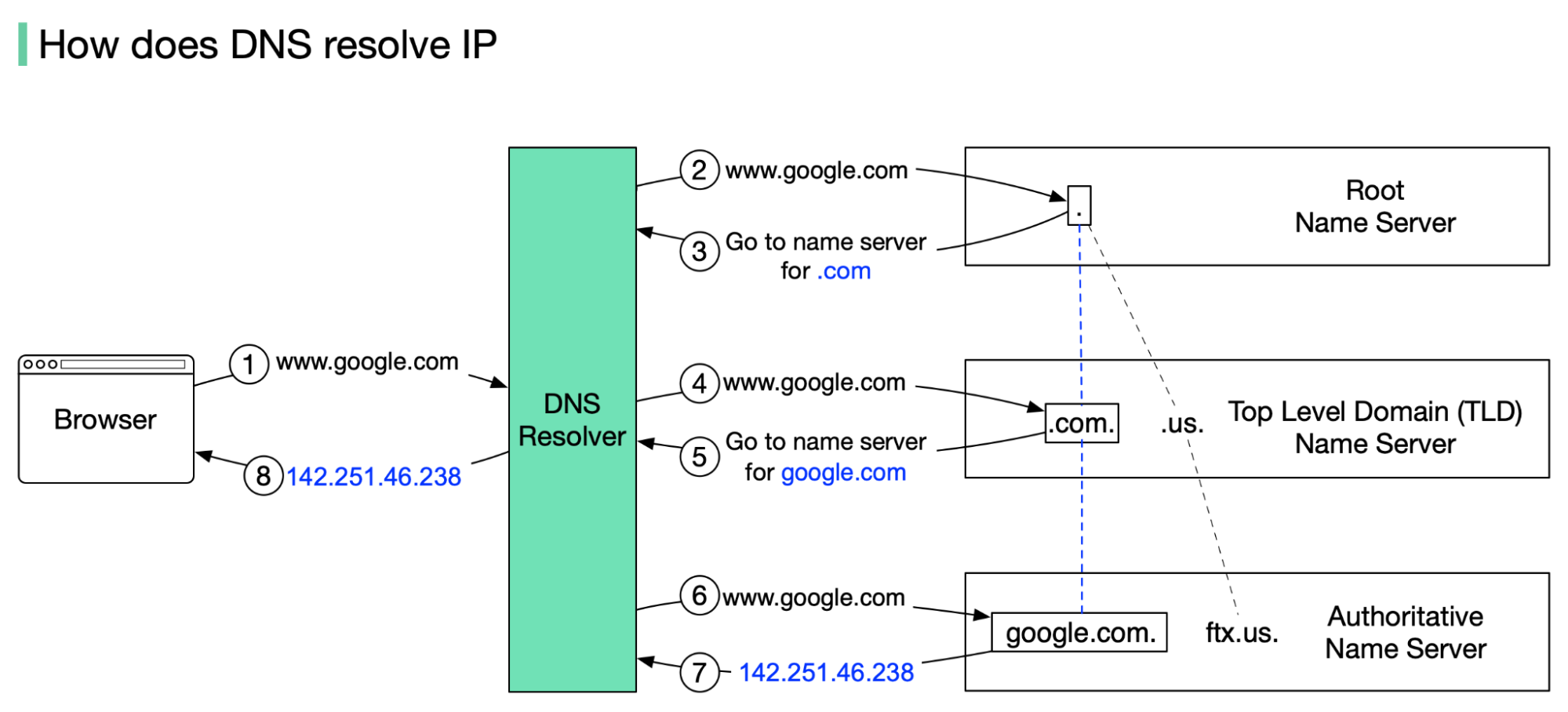
dig shows you the final answer, but the resolver already did the full journey.
Recursive Resolver (The Hidden Worker)
Your system uses a recursive resolver (ISP, router, or public DNS).
Its job:
Perform all DNS steps for you
Cache results
Return the IP quickly
You rarely see it, but it does most of the work.
Mapping dig Commands to DNS Lookup Stages
| Command | DNS Layer |
dig . NS | Root servers |
dig com NS | TLD servers |
dig google.com NS | Authoritative servers |
dig google.com | Final resolution |
Connecting This to Browser Requests
When you type https://google.com:
Browser asks the OS for IP
OS asks recursive resolver
DNS resolution happens
Browser connects to the IP
HTTP request starts
DNS always comes before HTTP.
Practical Takeaways
DNS is a distributed lookup system
Resolution happens in layers
dighelps you see each layer clearlyNS records define who is responsible
Browsers hide this complexity, but it still happens
Final Reassurance
You do not need to remember:
Server names
Output formats
All record types
If you understand:
Root → TLD → Authoritative → IP
You already understand DNS better than most beginners.