CSS Selectors 101: Targeting Elements with Precision
Why CSS Selectors Are Needed
HTML creates structure (what is on the page).
CSS controls style (how it looks).
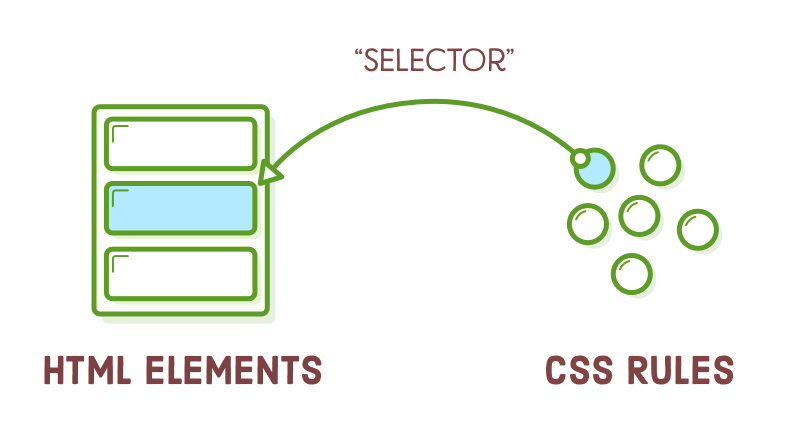
But CSS needs to know which HTML element to style.
That’s where CSS selectors come in.
CSS selectors are rules that tell CSS which elements to select and style.
Without selectors, CSS wouldn’t know where to apply styles.
Real-World Analogy (Very Important)
Imagine a classroom:
Calling “Everyone” → element selector
Calling “All students wearing blue shirts” → class selector
Calling “Only Rahul” → ID selector
CSS selectors work the same way:
they target elements based on rules.
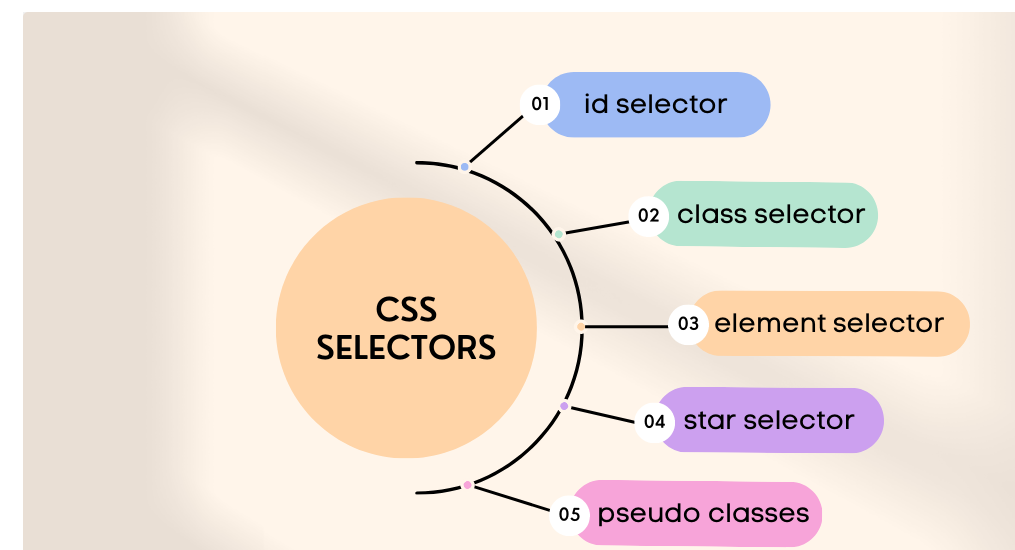
CSS Selector Targeting Flow

1. Element Selector
The element selector selects all elements of a specific type.
Example
HTML
p {
  color: blue;
}
What it selects
- All
<p>elements on the page
Use case
- When you want to style every element of one type
2. Class Selector
The class selector selects elements with a specific class.
It starts with a dot (.).
Example
HTML
<p class="highlight">Hello</p>
<p>World</p>
CSS
.highlight {
  color: red;
}
What it selects
- Only elements with
class="highlight"
Key points
Can be used on multiple elements
Most commonly used selector in real projects
3. ID Selector
The ID selector selects one unique element.
It starts with a hash (#).
Example
HTML
<h1 id="title">Welcome</h1>
CSS
#title {
  font-size: 32px;
}
What it selects
- Only the element with
id="title"
Important rule
- An ID should be used only once per page
Class vs ID (Conceptual Difference)
4. Group Selector
The group selector applies the same style to multiple selectors.
Use comma (,) to group them.
Example
h1, h2, p {
  color: green;
}
What it selects
- All
<h1>,<h2>, and<p>elements
Why useful
- Avoids repeating the same CSS again and again
5. Descendant Selector
The descendant selector selects elements inside another element.
Use a space between selectors.
Example
HTML
<div>
  <p>Hello</p>
</div>
CSS
div p {
  color: purple;
}
What it selects
<p>elements inside<div>
Does not select
<p>elements outside the<div>
Before vs After Styling (Conceptual)
Before CSS
All text looks the same
No visual hierarchy
After CSS with selectors
Headings stand out
Important content highlighted
Layout becomes readable
Selectors make this possible.
Basic Selector Priority (Very High Level)
When multiple selectors target the same element, priority matters.
From low → high priority:
Element selector (
p)Class selector (
.box)ID selector (
#main)
Example:
p { color: blue; }
.text { color: red; }
#special { color: green; }
If an element has all three, green wins (ID has highest priority).
No need to memorize details now—just remember:
ID > Class > Element
Key Takeaways for Beginners
CSS selectors are the foundation of CSS
They decide what gets styled
Start learning in this order:
Element
Class
ID
Avoid advanced selectors early
Master selectors before layouts and animations