How a Browser Works: A Beginner-Friendly Guide to Browser Internals
First Question
What actually happens after I type a URL and press Enter?
A lot more than “the website opens”.
A browser is not one thing.
It’s a collection of parts working together to turn code into pixels on your screen.
What a Browser Actually Is
A browser is a software program that:
Fetches files from the internet (HTML, CSS, JS, images)
Understands those files
Converts them into a visual page
Lets users interact with it
In short:
Browser = code reader + painter + traffic manager
High-Level Parts of a Browser
Think of a browser like a small factory.


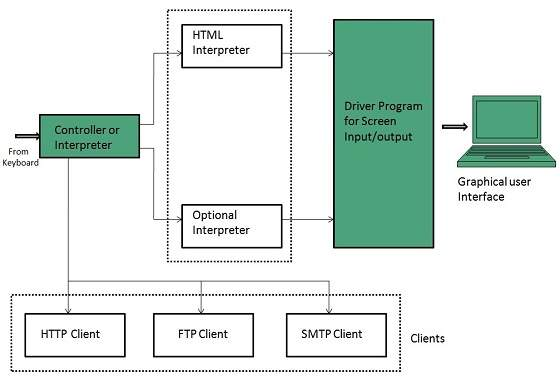
Main Parts (High Level)
User Interface (UI) – what you see and click
Browser Engine – connects UI with the engine
Rendering Engine – turns code into visuals
Networking – fetches files from the internet
JavaScript Engine – runs JavaScript code
You don’t need to remember names yet. Focus on the flow.
User Interface (UI)
This is the visible part of the browser.
Includes:
Address bar
Tabs
Back / Forward buttons
Refresh button
UI’s job is simple:
Take user input and show output.
Browser Engine vs Rendering Engine (Simple)
This sounds complex, but it’s not.
Browser Engine
Acts as a manager
It tells the rendering engine what to load and whenRendering Engine
Acts as a builder + painter
It reads HTML/CSS and draws the page
Popular rendering engines (name level only):
Chromium
Gecko
No deep dive needed.
Networking: How Files Are Fetched
When you press Enter:
Browser sends a request to the server
Server responds with files:
HTML
CSS
JavaScript
Images
This is handled by the networking layer.
Think of it as:
Browser ordering food, server delivering items.
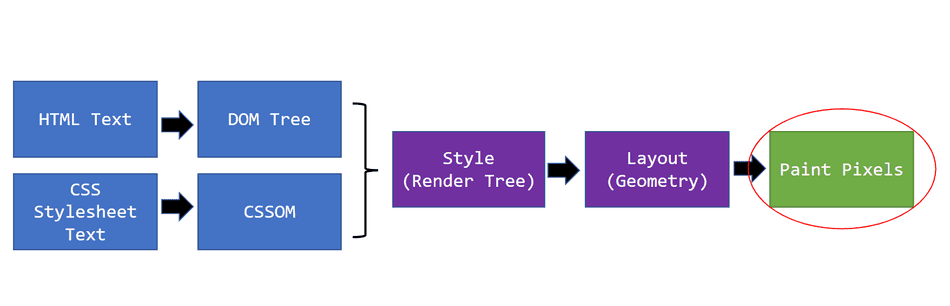
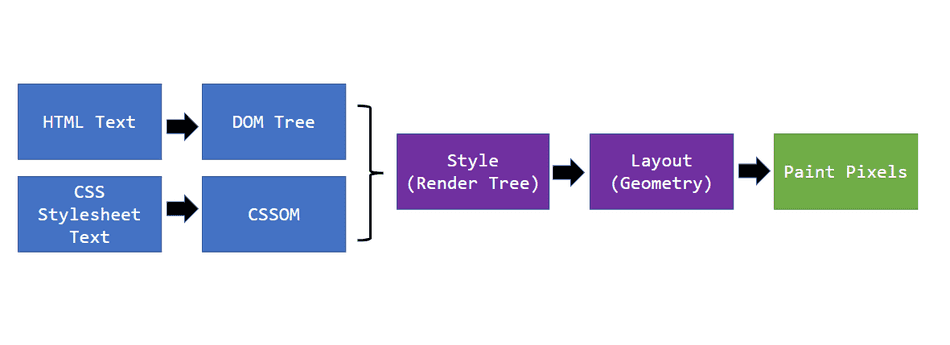
HTML Parsing and DOM Creation
The browser reads HTML from top to bottom.
This process is called parsing.
While parsing, the browser builds something called the DOM.
What Is the DOM?
DOM = Document Object Model
It is a tree structure representing HTML.

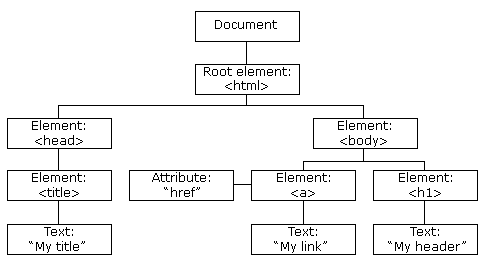

Example:
<body>
  <h1>Hello</h1>
  <p>World</p>
</body>
Becomes a tree, not text.
DOM helps the browser understand relationships between elements.
CSS Parsing and CSSOM Creation
CSS is parsed separately.
Browser builds the CSSOM (CSS Object Model).
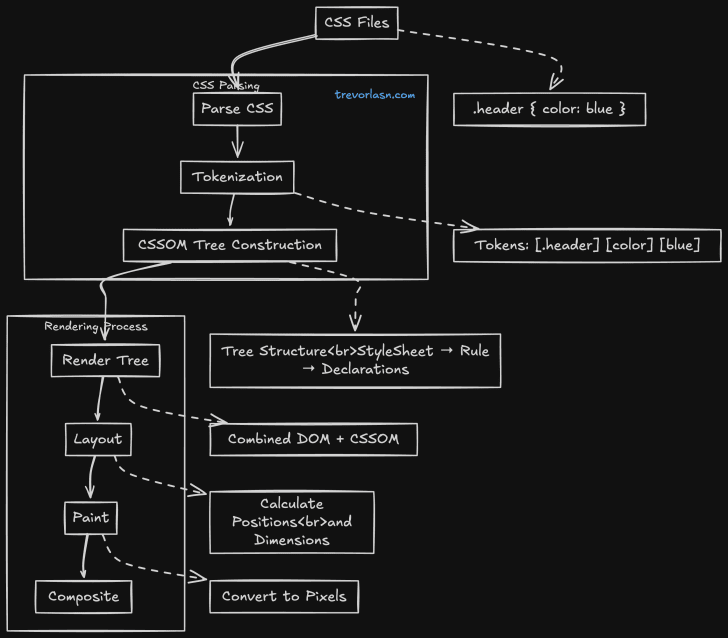
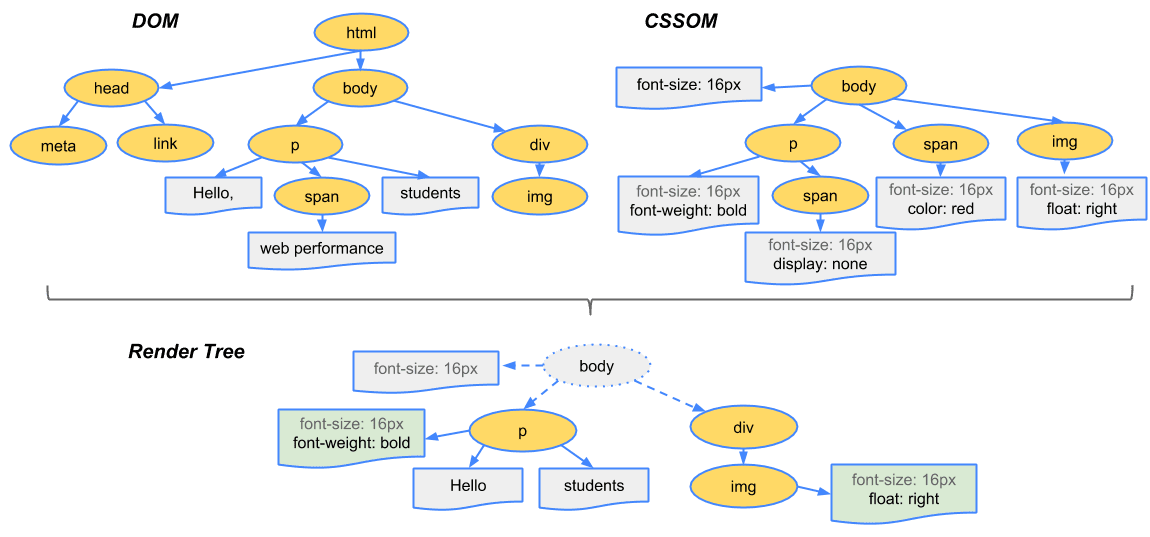
CSSOM answers:
Which styles apply
To which elements
With what priority
DOM + CSSOM → Render Tree
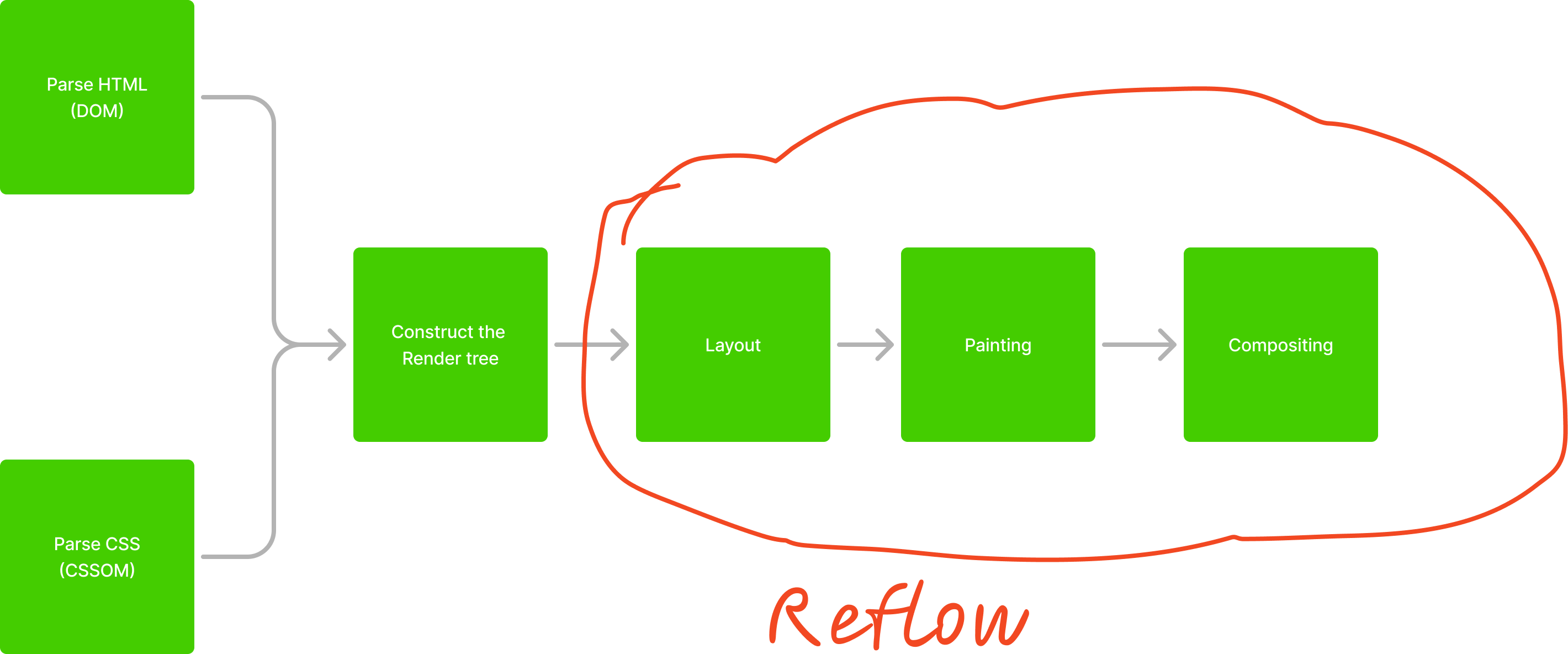
DOM and CSSOM are combined to create the Render Tree.


Important:
Only visible elements are included
display: noneelements are ignored
Render Tree = what actually needs to be drawn
Layout (Reflow)
Now the browser calculates:
Width
Height
Position
This step is called layout or reflow.
“Where should everything go?”
Painting and Display
After layout:
Browser paints colors, text, borders, images
Everything is drawn onto the screen
Final result:
Pixels on your screen
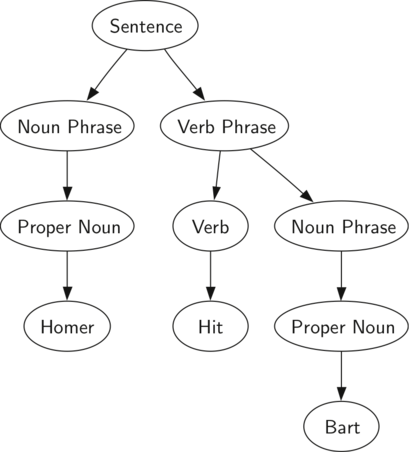
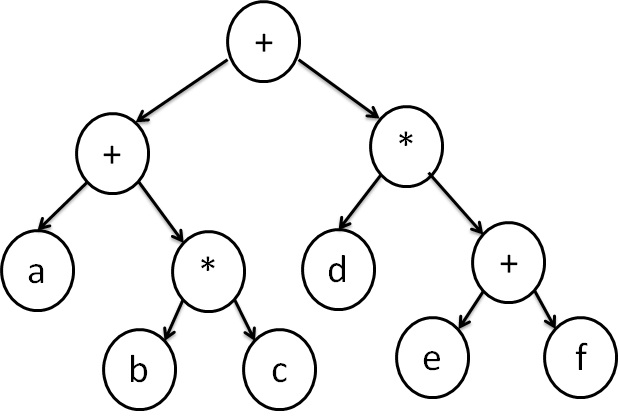
Very Basic Idea of Parsing (Simple Example)
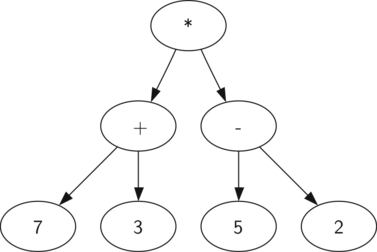
Parsing means breaking something into meaningful pieces.
Example:
2 + 3 × 4
Parser turns it into a tree:
Multiply first
Then add
Same idea with HTML:
Tags
Nesting
Meaning
Full Browser Flow (Big Picture)


Flow summary:
URL entered
Files fetched
HTML → DOM
CSS → CSSOM
DOM + CSSOM → Render Tree
Layout
Paint
Display
Important Reassurance for Beginners
You do not need to remember everything
Understanding the flow is enough
These concepts will repeat naturally in:
CSS
JavaScript
Performance topics
If the flow makes sense, you are learning correctly.
Key Takeaway
A browser is not magic.
It’s a well-organized pipeline that turns text files into visuals.